CRM Integration Services
Connect your CRM with the business tools you already use. Our CRM integration services build secure and reliable data connections, improve real-time information flow, and enhance visibility across sales, service, finance, and operations while reducing manual work and improving customer data management efficiency.
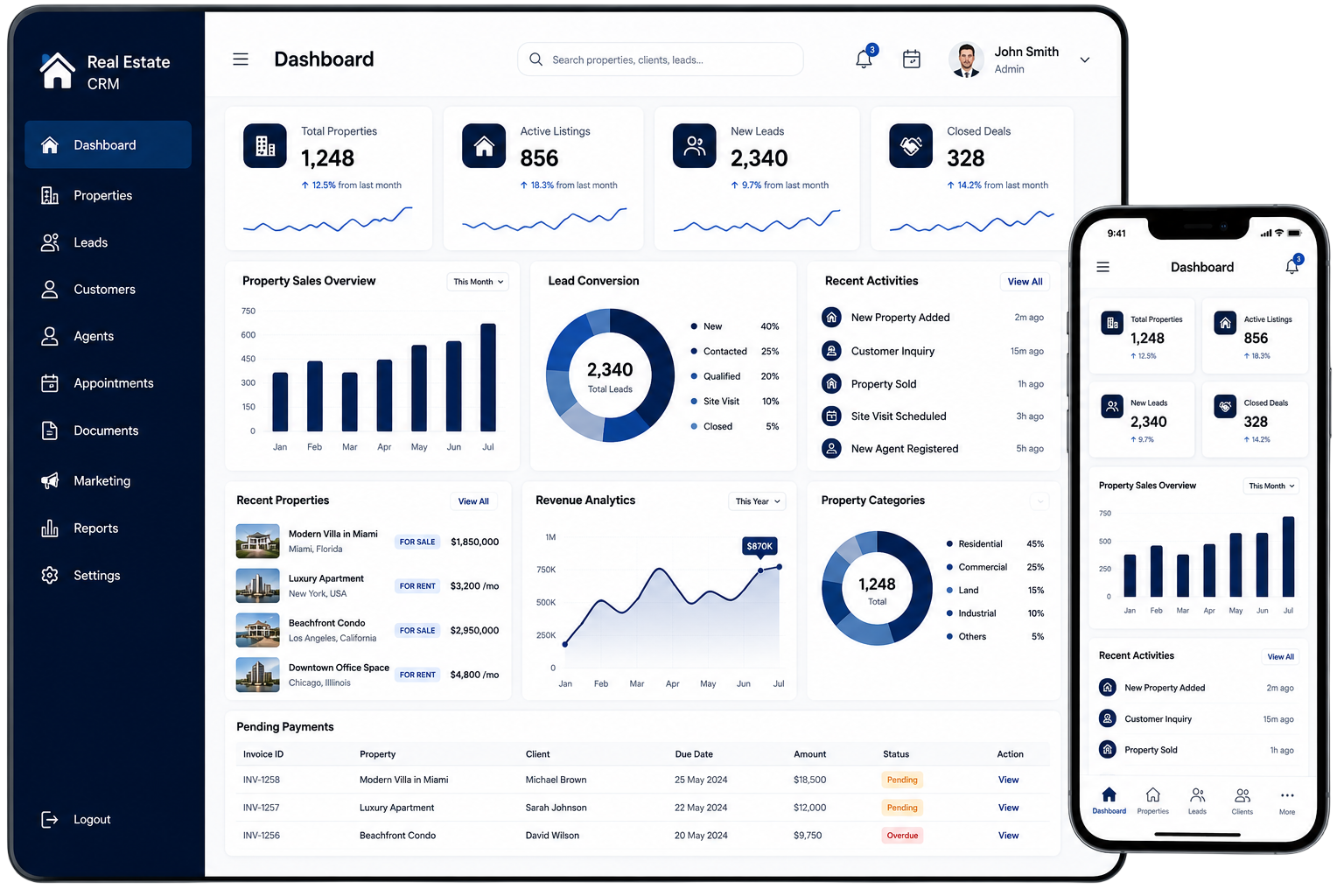


What is CRM Integration?
CRM integration enables you to connect your CRM with all the required business tools, such as an accounting system, e-commerce platform, email system, communication apps, and payment gateways. This enables easy transfer of data from system to system without the need to key in the data, helping to eliminate mistakes and wasting time. Thus, customer data is accurate and easy to access throughout the organization.
When everything is connected, teams can access real-time data with ease. Sales, marketing, support, finance and operations teams gain insight and context, collaborate better, are faster to customers and are more efficient and productive with everyday business.
A Connected Business Environment
Seamlessly integrate your tools and streamline operations across your organization.
This connected approach gives your teams better access to customer information and creates a smoother flow of data across your business.
Why Does Your Business Need CRM Integration?
Businesses often rely on multiple tools for sales, customer support, and daily operations, which can result in scattered data and unnecessary manual effort. Employees may spend time switching systems and updating the same information repeatedly.
CRM integration connects all systems, ensuring smooth data flow and providing teams with accurate, consistent information in one centralized place.
Better Access to Customer Information
Give your teams access to relevant information from connected business systems without constantly switching between different platforms.
Reduce Repetitive Data Entry
Connected applications can exchange supported information directly, reducing the need to copy customer or transaction details manually.
Improve Data Consistency
Clear data mapping and synchronization can help reduce differences between records stored across connected systems.
Faster Information Exchange
Relevant updates can move between systems efficiently, helping teams respond to customers and business requirements faster.
Better Business Visibility
Connected information provides a broader view of customer activity and related business operations.
Support Smarter Decisions
When important information is available across systems, managers can make decisions with better business context.
CRM Integration Development
Some applications do not provide ready-made connectors. They may use different APIs, field structures, data formats, or authentication methods. Our CRM integration development approach addresses these technical differences while building a reliable connection between systems.
API Connectivity
We establish communication between your CRM and connected applications using suitable APIs and supported integration methods.
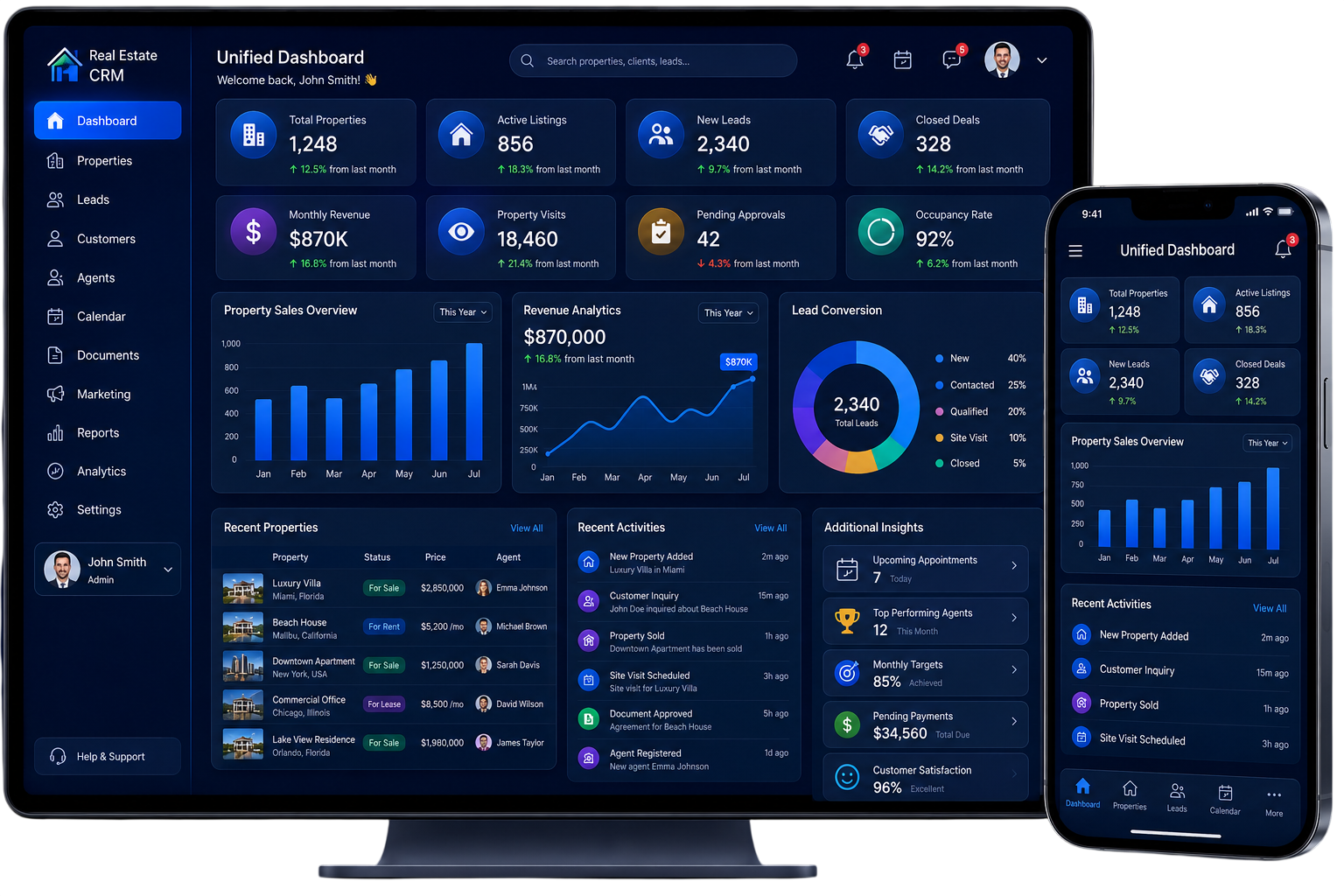
CRM Integration Solutions for Different Business Systems
Your CRM may need to communicate with one external application or several systems across your organization. We design the integration around the specific applications and information your business needs to connect.

CRM + ERP Integration
Connect relevant customer and enterprise information to improve visibility between sales, customer-facing teams, and operational departments.

CRM + E-commerce Integration
Connect customer and order information so teams can better understand purchases and customer activity.
CRM + Accounting Integration
Exchange relevant customer and transaction information between customer management and financial systems.
CRM + Email Integration
Connect supported email platforms with CRM records to improve visibility into customer communication.

CRM + Customer Support
Connect customer support applications with CRM information to give service teams better access to customer history.
CRM + Payment Systems
Connect supported payment applications with relevant customer records and transaction information.
CRM + Analytics Platforms
Send relevant CRM information to supported analytics or reporting platforms for broader business analysis.

CRM + Communication Platforms
Connect supported communication tools with customer information to improve visibility across customer interactions.
CRM Platforms We Integrate
Integration possibilities depend on the CRM platform, available APIs, authentication methods, data structure, and the systems involved.
Our integration expertise can support platforms such as:
-
Salesforce
-
HubSpot
-
Zoho CRM
-
Microsoft Dynamics 365
-
Pipedrive
-
Freshsales
-
Custom CRM Platforms
Platform availability may depend on API access, account permissions, third-party limitations, and project requirements.
Applications We Can Connect With Your CRM
Your CRM becomes more useful when it can exchange relevant information with the applications your business already depends on.
Business Systems
- ERP platforms
- Accounting software
- Inventory systems
- Business management applications
Sales & Commerce
- E-commerce platforms
- Order management systems
- Payment platforms
- Customer portals
Communication
- Email platforms
- Messaging applications
- Communication tools
- Customer support platforms
Data & Reporting
- Analytics platforms
- Reporting tools
- Business intelligence systems
- Data platforms
The exact integration approach depends on the APIs, permissions, and technical capabilities available in each application.
How CRM Integration Works
A successful integration involves more than establishing an API connection. Each system needs to understand what information is being exchanged and how it should be processed.
Source System
The application where the required information originates.
API Connection
The communication channel used to exchange information between systems.
Data Mapping
Relevant fields are matched between the source and destination applications.
Data Validation
Information is checked before it is transferred or accepted.
Destination System
Validated information reaches the application where it is needed.
Monitoring
Integration activity can be monitored to identify failed requests, synchronization problems, or unexpected responses.
Our CRM Integration Process
We follow a structured approach to connect your CRM with business applications, protect data accuracy, and keep information moving reliably between systems.
Understand Your Requirements
We begin by understanding your CRM, connected applications, business requirements, data sources, and the information that needs to move between systems.
Review Your Existing Systems
We assess available APIs, authentication methods, data structures, limitations, and compatibility between the applications involved.
Define the Data Flow
We identify what information should move between systems, where it originates, where it needs to go, and when it should be exchanged.
Plan the Integration Architecture
The integration approach is planned according to application compatibility, data volume, security requirements, scalability, and technical constraints.
Develop the Connection
Required APIs, authentication, data mapping, and integration components are implemented according to the planned architecture.
Test Data Exchange
We test successful requests, failed requests, field mapping, validation, synchronization, and other important scenarios.
Deploy the Integration
After successful testing, the integration is deployed to the intended environment.
Monitor the Integration
Post-deployment monitoring helps identify errors and maintain reliable communication between connected systems.
Benefits of CRM Integration

Centralized Customer Information
Bring relevant information from different applications together so teams can access a broader view of customer activity.

Reduced Manual Work
Minimize repetitive data entry when connected systems can exchange supported information directly.
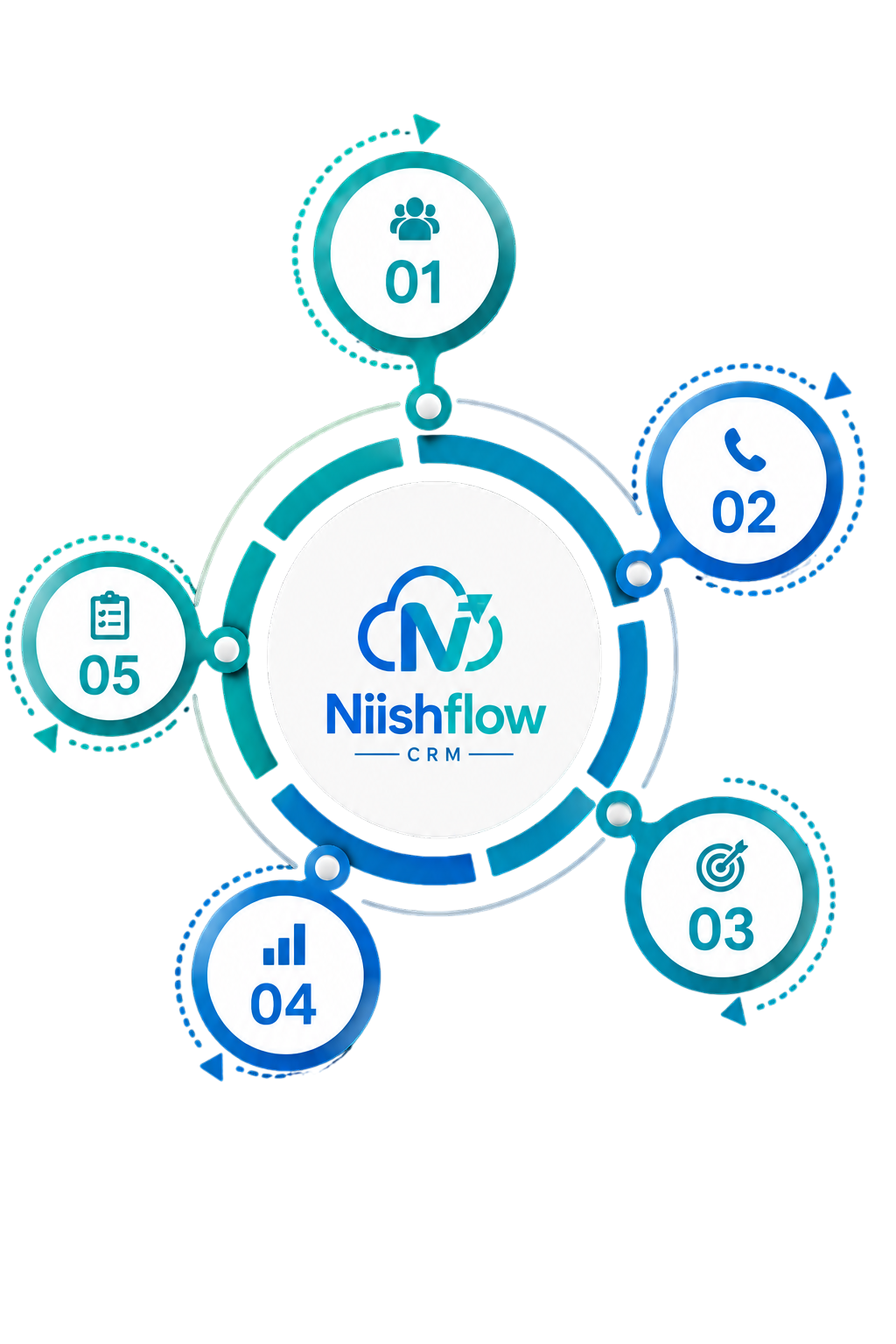
Better Data Accuracy
Clear mapping and validation can help reduce inconsistencies between connected applications.
Faster Access to Information
Teams can find relevant information without repeatedly searching through separate systems.
Improved Team Collaboration
Sales, service, finance, and operations teams can work with better context when information is available across connected systems.
Better Reporting
Information from connected applications can provide a stronger foundation for reporting and business analysis.

Scalable Integration Architecture
A well-planned integration can make it easier to connect additional systems as your business grows.
CRM Integration Challenges
We Solve
Different applications may use different data structures, formats, and technical standards. We identify these differences during planning and design the integration accordingly.
Different Data Formats
Challenge: Two systems may store similar information in different formats.
Solution: Data mapping and transformation can align information before it reaches the destination system.
Different Field Names
Challenge: One platform may use "Customer ID" while another uses "Account Number."
Solution: Clear field relationships are defined during integration planning.
API Limitations
Challenge: A third-party application may have restricted API access or usage limits.
Solution: Available API capabilities are reviewed before selecting the integration approach.
Failed Requests
Challenge: Temporary service interruptions can prevent information from being exchanged.
Solution: Error handling and monitoring can help identify and manage failed requests.
Multiple Connected Systems
Challenge: Integration can become more complex as the number of applications increases.
Solution: A structured architecture helps organize connections and support future requirements.
Why Choose Us for CRM Integration?
Choosing an integration partner is about more than connecting applications. The quality of the integration can affect data reliability, security, maintainability, and the experience of the teams using the connected systems.
As a CRM integration company, we focus on understanding your technology environment before selecting the right integration approach.
Business-Focused Approach
We start with the information your business needs to exchange instead of connecting systems without a clear purpose.
Custom Integration Architecture
Each project can be structured around the CRM, applications, APIs, data requirements, and business environment involved.
Secure Connectivity
Authentication, access control, data protection, and validation are considered throughout the integration process.
Clear Data Mapping
We define how information should move between systems and how corresponding fields should be handled.
Scalable Solutions
The integration architecture can be planned with future systems and changing business requirements in mind.
Reliable Testing
Connections are tested before deployment to identify potential mapping, communication, and data-handling issues.
Technical Support
Our team can assist with integration-related technical requirements and issues affecting connected systems.
CRM Integration for Different Industries
Different industries use different applications, but the need for connected customer information is common across many business environments.

Real Estate
Connect customer enquiries with supported CRM, property, communication, and business systems.
E-commerce
Bring customer and order information together for better visibility across sales and customer service.
Finance
Connect relevant customer information with supported financial applications.

Healthcare
Connect supported systems while considering the security and privacy requirements associated with sensitive information.

Education
Connect customer or student-related information with supported communication and business applications.

Travel & Hospitality
Connect customer information with supported booking, communication, and operational systems.
B2B Services
Connect information across sales, customer service, finance, and operational applications.
Connected Industry Workflows
Plan CRM integrations around the applications, data movement, and operational needs of your specific industry.
FAQs
CRM integration connects your CRM with other business applications to exchange customer and business data efficiently.
CRM integration reduces manual data entry, improves data consistency, and gives teams better access to customer information across connected systems.
A CRM can be integrated with ERP, e-commerce, accounting, payment, email, customer support, communication, analytics, and other business systems.
CRM API integration allows applications to exchange data through APIs, with data mapping, validation, authentication, and error handling supporting reliable data transfer.
Yes. Custom CRM platforms can be integrated with third-party applications when suitable APIs, authentication methods, permissions, and technical access are available.
Connect Your CRM With the
Tools Your Business Uses
Make your business systems work together with a CRM integration solution designed around your applications, workflows, and data requirements.