
CRM Software Development
Company
Build a CRM that works the way your business does with Niishflow. As a CRM software development company, we create flexible CRM solutions for managing leads, customer data, sales activities, workflows, integrations, and everyday operations - helping teams stay organised, automate repetitive work, and build stronger customer relationships
Build a CRM Around the Way Your Business Works
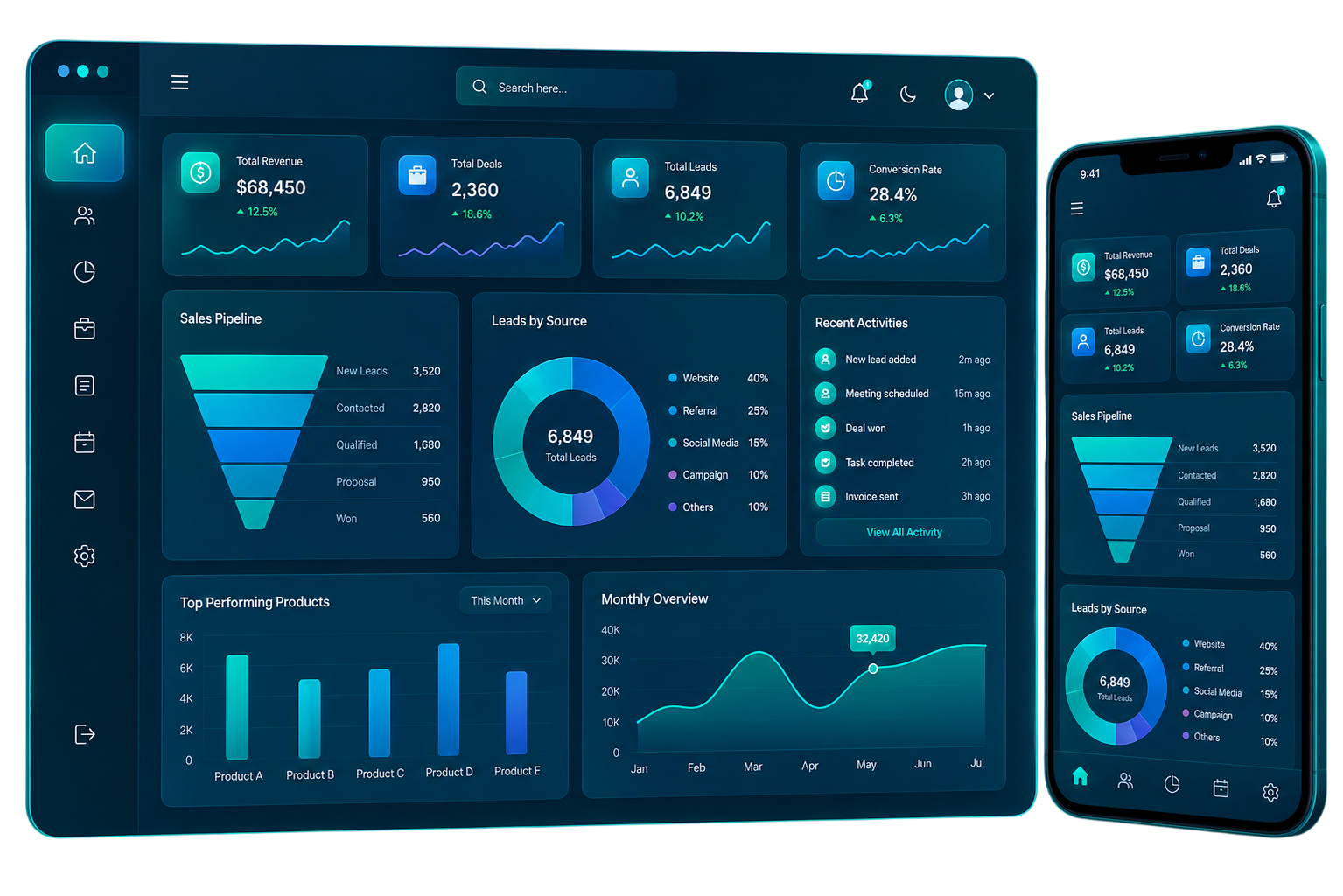
A CRM is not just a database of customer information. It helps your teams know what to do, when to do it, and where each customer is in the journey. Niishflow develops CRM solutions that integrate customer data, sales activities, communication, workflows, and reporting into a single unified environment. The system can be built around your processes, instead of forcing your team to change their work.
The CRM can give your teams a clearer view of customer activities and business operations - from handling your first lead to following up with existing customers.
-
Custom CRM
-
Workflow Automation
-
Integrations
-
Analytics
-
Mobile Access
-
Scalable Architecture
Our CRM Software
Development
Services
Every business has different processes, users, and customer management requirements. Our CRM development services cover the key stages involved in planning, building, improving, and maintaining a CRM platform.
Custom CRM Development
Build a CRM around your unique business needs, customer Build your CRM to fit your business model, customer journey, sales process, team structure, and operational requirements. We can develop custom modules, dashboards, workflows, user roles and business functionality based on your needs.
CRM Customization
Already using a CRM but need it to work differently? We can customize modules, fields, dashboards, workflows, permissions, and other functionality to better fit your internal processes.
CRM Integration
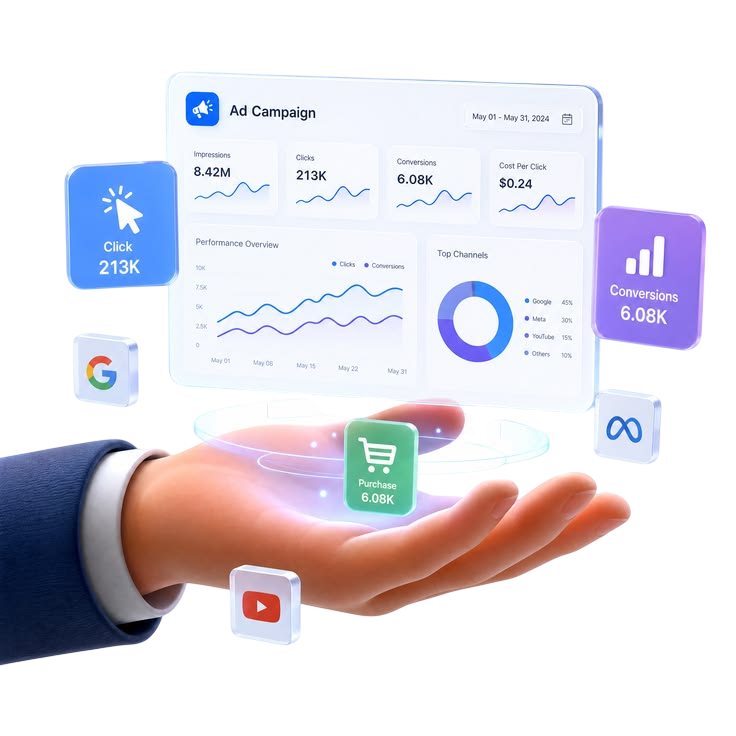
Connect your CRM with the business applications your teams already use. Depending on your requirements, integrations can include payment systems, accounting platforms, marketing tools, ERP solutions, ecommerce platforms, communication tools, and third-party APIs.

CRM Migration
Move customer records, sales information, communication history, and other relevant business data from an existing CRM or legacy system into a new platform through a structured migration process.
CRM Consulting
Get technical and functional guidance for CRM planning, feature selection, workflow mapping, integration requirements, technology decisions, and implementation.
CRM Support & Maintenance
CRM development does not end at deployment. Ongoing support can help keep the platform secure, reliable, updated, and aligned with changing business requirements.
Security-Focused CRM Development
We build CRM solutions with security considerations throughout the development process, helping businesses protect customer data, manage user access, and maintain better control over their CRM environment.
Role-Based Access
Set user access based on roles, teams, and responsibilities to control which CRM data and functions each user can access.

CRM Features for Everyday Business Operations
A useful CRM should make everyday work simpler for its users. Niishflow CRM solutions may include features such as managing customer relationships, sales activities, internal workflows and business information from a single platform.

Lead Management
Gather and organise leads, assign to team members, track status and monitor their progress through the sales cycle.
Sales Pipeline Management
Manage opportunities, deals, follow-ups, sales stages, activities, and customer interactions from a centralised sales pipeline.
Customer Management
Organise customer information, communication history, activities, preferences, and related records so authorised users can access the information they need easily.

Contact Management
Maintain structured contact records and make it easier for teams to access the information they need when communicating with customers.
Task and Follow-Up Management
Create tasks, reminders, scheduled activities, and follow-ups so important customer and sales activities are less likely to be missed.
Workflow Automation
Automate notifications, reminders, approvals and business workflows to reduce manual work and improve operational consistency.

Calling & Communication
Connect calls, emails, SMS, and messages to customer profiles, helping teams stay informed, organized, and responsive throughout every conversation.
Reports and Analytics
Convert CRM data into actionable reports and dashboards that enable teams to monitor sales activities, customer trends, team performance and business operations.
Customer Support Management
Collect customer requests, service activities, communication, and support information in one business environment.
User Roles and Permissions
Control access to CRM information based on users, teams, roles, and business requirements.

Mobile-Friendly Access
Responsive CRM interfaces provide teams access to critical customer and business information across desktops, tablets and smartphones.
CRM Solutions for Different Business Needs
There is no single CRM structure that works for every business. A company managing property enquiries will
have different requirements from a healthcare organization, retailer, manufacturer, or financial services
provider.
Niishflow can shape CRM functionality around the processes and customer journeys specific to your business.
Industry-Focused CRM Development Services
CRM solutions can be designed around industry-specific workflows, customer information, sales processes, service requirements, and reporting needs. For example, businesses may require CRM capabilities for:
CRM for
Different
Business Functions
CRM software can support more than traditional sales management. Depending on the business requirements, the platform can be structured around different departments and operational functions.
Sales CRM
Manage leads, opportunities, sales pipelines, follow-ups, customer activities, and revenue-related processes.
Marketing CRM
Organize customer information, campaign-related activities, lead data, communication, and marketing workflows.
Customer Service CRM
Bring customer requests, communication, service activities, and support information into a centralized environment.
Client Management Software
Maintain client information, interactions, tasks, documents, follow-ups, and relationship history in one place.
Ticketing and Support Management
Manage customer requests, support tickets, assignments, priorities, status updates, and service communication through structured workflows.
Business Operations CRM
Connect customer-related information with internal processes, tasks, approvals, reporting, and other operational activities.
AI and Automation in CRM
AI and automation can help CRM systems reduce repetitive work and make customer data more useful. Based on your business requirements, CRM solutions can incorporate capabilities such as:
AI Lead Scoring
Analyze available lead information and activities to help sales teams prioritize opportunities.
AI Lead Scoring
Automated Follow-Ups
Customer Insights
Sales Forecasting
Intelligent Recommendations
Note: AI should be introduced where it provides a practical business benefit rather than being added simply as a feature. The functionality can be selected according to the organization's data, workflow, and operational requirements.
CRM Integrations
Your CRM should work with the rest of your technology environment rather than becoming another isolated system. Niishflow can develop CRM integrations based on the applications and workflows your business already uses.
Payment Integration
Connect payment systems with relevant customer, transaction, and financial workflows.
Accounting Integration
Connect accounting applications to exchange relevant financial and customer information.
Marketing Integration
Connect marketing platforms to improve the flow of leads, campaigns, customer information, and engagement data.
ERP Integration
Connect CRM and ERP environments to create a more connected flow between customer-facing and internal business operations.
Ecommerce Integration
Connect ecommerce platforms with customer, order, sales, and support workflows.
API Integration
Integrate third-party applications and services through APIs according to your technical and business requirements.
Our CRM Development Process
Our development approach is designed to minimise unnecessary complexity and keep the software aligned with the real needs of its users.
Requirement Analysis
We study your business processes, users, customer journey, workflows, existing systems, and CRM objectives.
Planning
We define the required modules, functionality, integrations, user roles, architecture, technology requirements, and development roadmap.
UI/UX Design
We design dashboards and interfaces that make customer information, tasks, reports, and business activities easy to access and manage.
Development
Our development team builds the required CRM modules, workflows, integrations, automation and custom functionality.
Testing
The CRM is tested for functionality, usability, performance, compatibility and security related requirements before deployment.
Deployment
Once the platform is ready, it is deployed through a structured implementation process.
Support and Improvements
After launch, ongoing support can help address technical issues, introduce improvements, update functionality, and adapt the CRM as business requirements change.
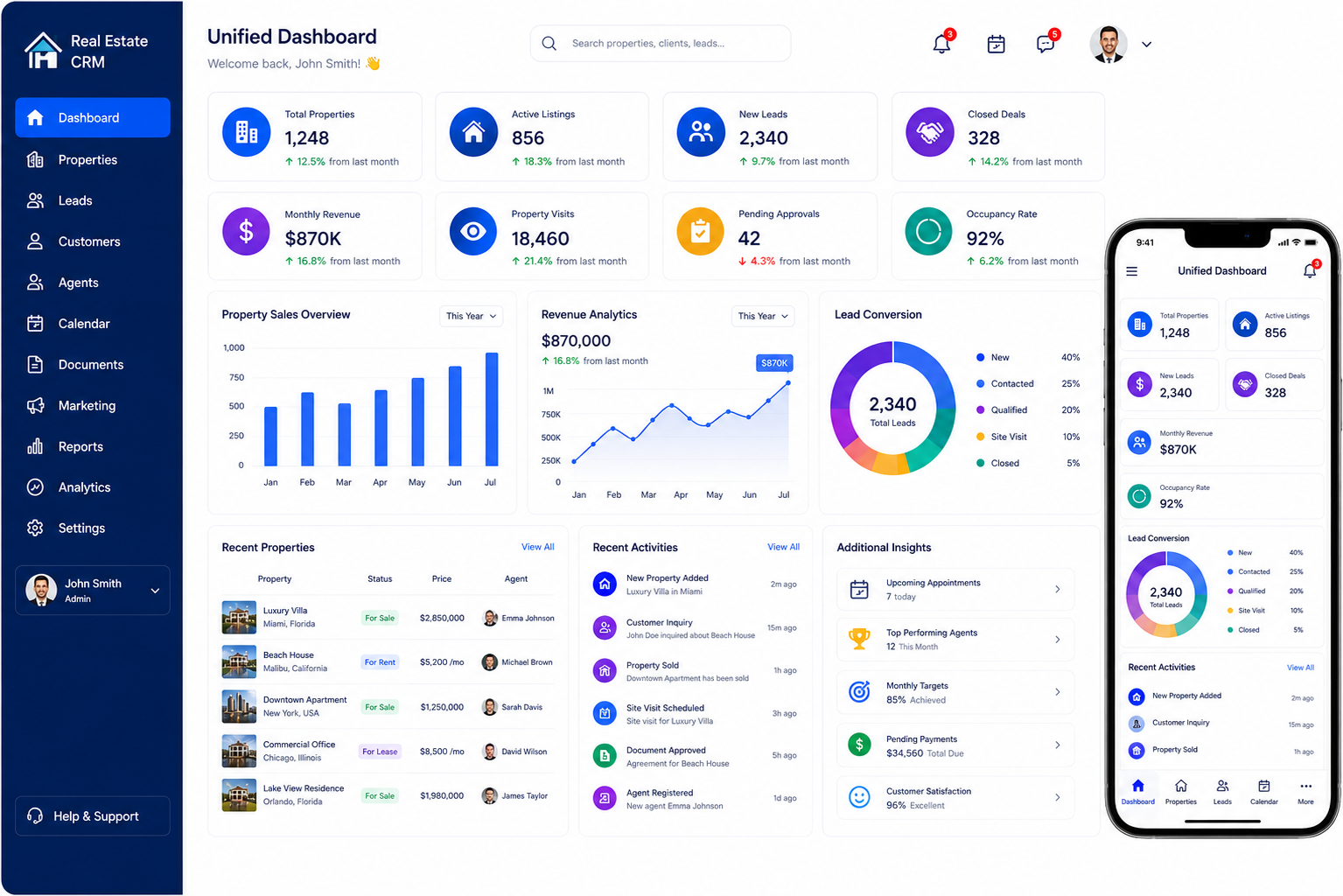
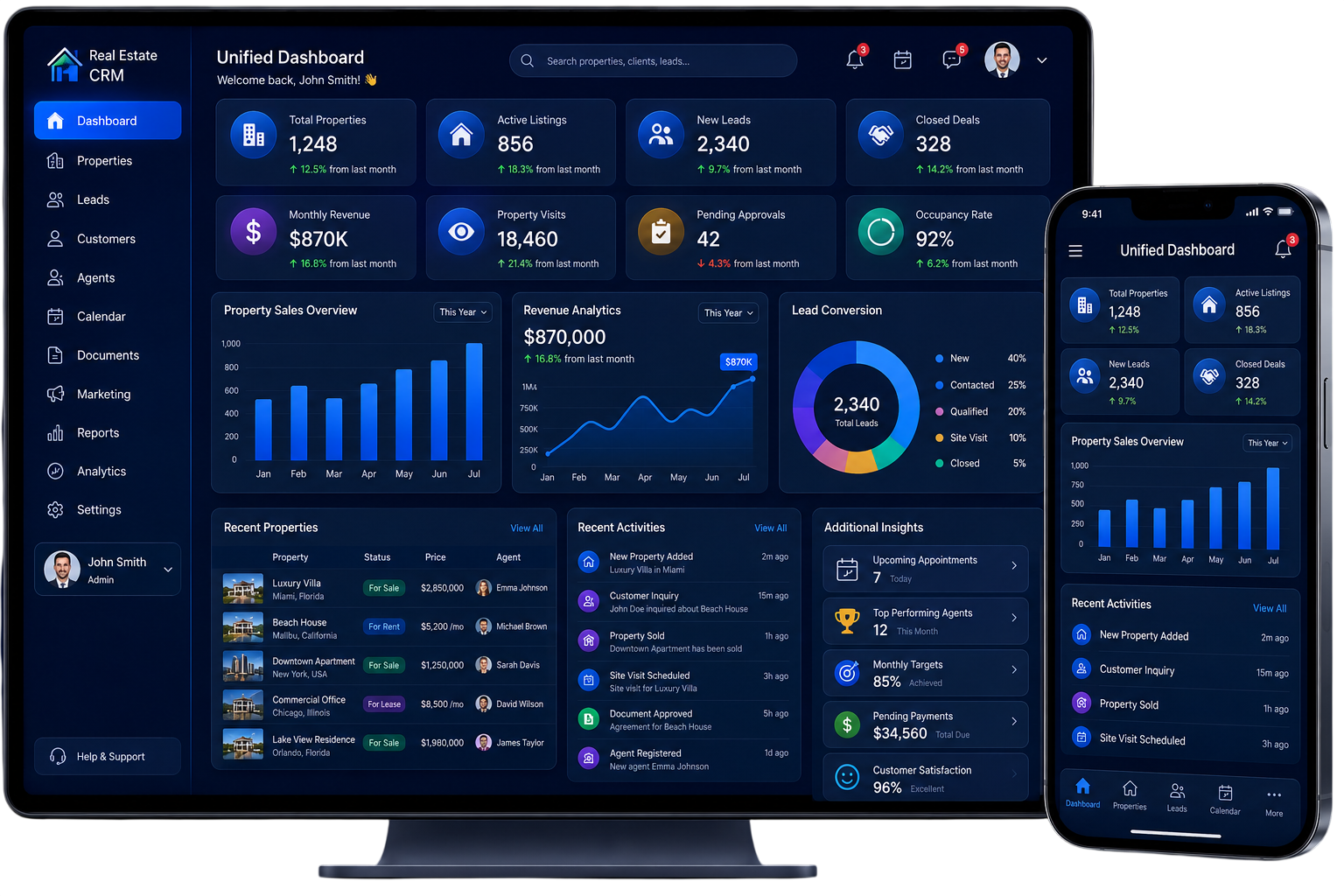
Experience CRM in Action
A CRM becomes valuable when teams can use it naturally in their everyday work.
With Niishflow, your CRM interface can bring customer records, sales activities, tasks, reports, workflows, and other relevant information together in a centralized workspace.
Teams can access the information they need across desktop, tablet, and mobile-friendly interfaces, helping sales, customer service, and management teams stay connected with customer activities.
Why Choose Niishflow as Your
CRM Development
Company?
When you choose a CRM development partner, its about more than just technical development. The right solution is one that fits your business processes, scales as your organization grows, and provides a useful experience for the people who rely on it every day.
Business-Focused Development
We start by understanding your business requirements and workflows before defining the CRM functionality.
Custom-Built Functionality
Your CRM can be developed around your processes instead of requiring your business to adapt to a rigid platform.
Scalable Architecture
The solution can be structured to support growing users, customer records, teams, modules, integrations, and operational requirements.
Security-Focused Development
We can incorporate access controls, user permissions, secure integrations, and other security considerations based on the project requirements.
Automation and AI
Automation and AI capabilities can be introduced where they can reduce repetitive work, improve visibility or support better decision-making.
Integration-Ready
Use the right integration techniques to connect your CRM to the platforms and applications that matter for your business.
Ongoing Technical Support
Once launched, continue to enhance and maintain your CRM as your business processes, users and technology evolve.
What Our Clients Say
See how happy customers use our CRM software to manage sales, customers, and daily business operations easily.
"The education CRM solution has helped us manage student records, admissions, and communication in one place. The easy-to-use features have improved our workflows and helped our team provide better student support."

"The logistics CRM solution has made it easier to manage shipments, customer details, and daily operations. Improved tracking and organized data have helped us improve business efficiency."
"The finance CRM tools have helped us manage client information, automate routine tasks, and maintain a more organized workflow for our financial services."
"The healthcare CRM platform has improved how we manage patient relationships and daily operations. It helps our team provide better service with a simple and efficient process."
Ready to Build a CRM
Around Your
Business?
Your CRM should mirror how your company handles customers, teams, sales, service and daily operations.
If you require a custom CRM platform, CRM customisation, system integration, workflow automation, migration or an industry focused solution, Niishflow can help you define the right approach based on your business requirements.
Questions?
We've Got
Answers!
A CRM software development company designs and develops CRM solutions that help businesses manage customer information, leads, sales activities, communication, workflows, reporting, and related business operations.
Custom CRM development allows a business to create functionality around its specific workflows, users, customer journey, integrations, and operational requirements rather than depending entirely on a standard CRM structure.
Yes. A CRM can be designed around the current requirements of a small business and structured to accommodate additional users, customers, workflows, and functionality as the business grows.
Yes. CRM functionality can be adapted to different industries by configuring workflows, modules, customer records, integrations, permissions, and reporting according to industry-specific requirements.
Yes. CRM platforms can be connected with payment systems, accounting applications, marketing platforms, ERP systems, ecommerce platforms, and other third-party applications through suitable integration methods.
Yes. Depending on the project requirements, AI capabilities such as lead scoring, customer insights, sales forecasting, automation, and intelligent recommendations can be incorporated into a CRM solution.
Yes. Customer records, sales information, and other relevant business data can be migrated from an existing CRM or legacy system through a structured migration process.
A responsive CRM interface can allow authorized users to access relevant customer information, tasks, dashboards, and business activities across smartphones, tablets, and desktop devices.
The development timeline depends on the scope of the project, required modules, integrations, customization, user requirements, technology stack, testing requirements, and implementation process.
Yes. Ongoing technical support and maintenance can help keep the CRM reliable, updated, and aligned with changing business requirements.
Get in touch today
Have questions about our CRM solutions? Our team is ready to help you with expert guidance, support, and the right tools to grow your business.